
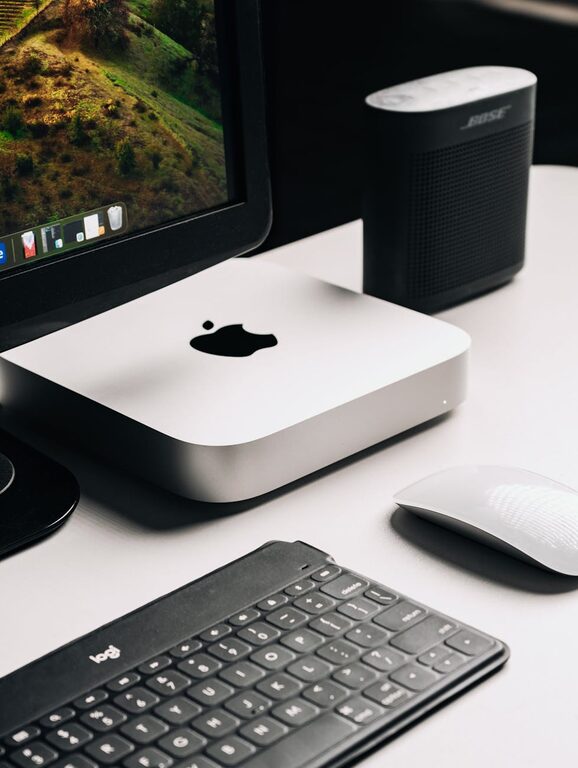
In today’s connected world, our digital lives can quickly become cluttered with files, emails, apps, and notifications. Just like physical clutter can weigh you down, a disorganized digital space can lead to stress, distraction, and lost productivity. The good news is that decluttering your digital life is both achievable and rewarding. In this post, we’ll explore practical steps to help you clean up your digital environment and maintain a fresh, organized space.
Why Declutter Your Digital Life?
Before diving into the how-to, it’s helpful to understand why decluttering matters. A clean digital workspace can:
– Reduce stress by creating a clear, calm environment
– Improve focus and efficiency
– Free up storage space on your devices
– Make it easier to find important files or information
– Enhance security by removing outdated or vulnerable files
With these benefits in mind, here’s a step-by-step guide to help you tidy up your digital world.
Step 1: Assess Your Digital Spaces
Start by taking stock of where your digital clutter lives. Common areas include:
– Email inboxes
– Desktop and downloads folder
– Cloud storage services (Google Drive, Dropbox, etc.)
– Mobile devices and apps
– Social media accounts
– Browser bookmarks and history
Knowing what and where your digital clutter is will help you create a plan to tackle it.
Step 2: Clean Up Your Email
Email is often one of the biggest culprits for digital clutter. Here’s how to manage it:
– Unsubscribe from Unnecessary Newsletters: Use services or manually unsubscribe from emails you no longer read.
– Delete or Archive Old Emails: Sort emails by sender or subject and delete or archive in bulk. Focus on clearing your inbox rather than achieving inbox zero immediately.
– Set Up Folders and Labels: Organize important emails into folders like Work, Personal, Bills, etc., for easier access.
– Use Filters and Rules: Automate organization by setting filters to automatically move incoming emails to specific folders.
Regularly managing your inbox can prevent buildup over time.
Step 3: Organize Your Files and Folders
Files can pile up fast on your computer or cloud storage. Here’s how to get them in order:
– Delete Duplicates and Unnecessary Files: Go through your downloads, documents, and desktop folders to remove duplicates and outdated files.
– Create a Logical Folder Structure: Organize files into clear categories, such as Work, Family, Photos, and Finance.
– Rename Files Clearly: Use descriptive file names to make searching easier later.
– Back Up Important Files: Use an external hard drive or cloud backup to secure important data.
A clean file system saves time and frustration.
Step 4: Simplify Your Apps and Devices
Too many apps or devices can add to digital chaos. Try these tips:
– Delete Unused Apps: Go through your phone, tablet, and computer, and remove apps you no longer use.
– Limit Notifications: Turn off non-essential notifications to reduce distractions.
– Update Software Regularly: Keep apps and operating systems up to date for security and performance.
– Review Device Storage: Check storage space and clear cached data or temporary files.
Streamlining your devices helps maintain speed and focus.
Step 5: Manage Your Social Media Presence
Social media can consume time and contribute to distraction. Here’s how to manage it better:
– Unfollow or Mute Accounts: Reduce noise by unfollowing pages or accounts that no longer interest you.
– Limit Time Spent on Social Platforms: Use built-in screen time trackers or third-party apps to set usage limits.
– Review Privacy Settings: Update settings to control who sees your information.
– Delete Old Posts or Photos: Clean up your profile by removing posts you no longer want public.
A mindful approach helps create healthier social media habits.
Step 6: Declutter Your Browser
Your web browser can also become cluttered with tabs, bookmarks, and history:
– Close Unused Tabs: Having too many tabs open slows down your device and distracts your mind.
– Organize Bookmarks: Delete outdated bookmarks and group the rest into folders.
– Clear Browsing Data: Periodically clear cache, cookies, and history to improve performance.
– Use Extensions Sparingly: Disable or remove unnecessary browser extensions.
An organized browser improves both speed and ease of use.
Step 7: Set Up a Routine for Digital Decluttering
Decluttering is not a one-time task—it requires ongoing effort. To maintain order:
– Schedule Weekly Review Time: Dedicate 10–15 minutes weekly to clear inboxes, close tabs, or delete unneeded files.
– Apply the “One In, One Out” Rule: For every new app or file added, consider removing one old item.
– Use Digital Organization Tools: Leverage apps and services that help with file management, email sorting, and task organization.
– Be Mindful of What You Save: Save only what’s necessary and avoid hoarding digital files.
Regular maintenance prevents clutter from piling up again.
Final Thoughts
Decluttering your digital life is a rewarding way to regain control over your time and technology. By organizing your emails, files, apps, social media, and browser, you create a clean, focused workspace that helps you be more productive and less stressed. The key is consistency—establish habits that keep digital clutter at bay and allow you to enjoy a peaceful online experience.
Start today with one small area, and watch as your digital world transforms!